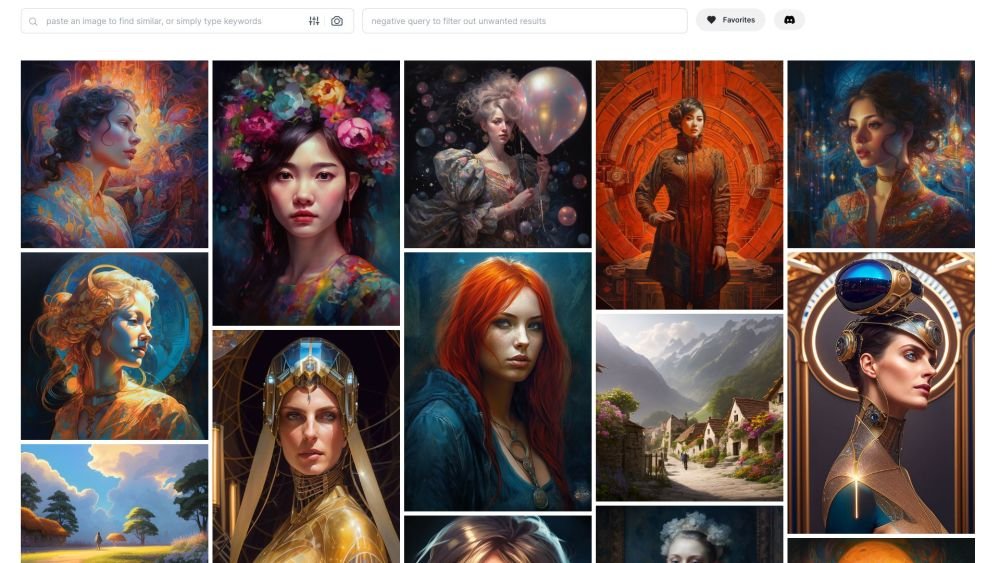
The world of digital art has undergone a seismic shift, thanks to Artificial Intelligence. What once required years of artistic training can now be conjured in moments, provided you know how to speak the AI's language. This guide dives into the Fundamentals of AI Art Prompts, equipping you with the knowledge to transform your wildest creative visions into stunning visuals. No prior artistic skill or coding expertise needed – just a curious mind and a desire to create.
It's not just about typing a few words; it's about precision, imagination, and a touch of strategic thinking. Mastering the prompt is the key to unlocking the full potential of AI art generators, turning generic outputs into masterpieces that genuinely reflect your intent.
At a Glance: Crafting Exceptional AI Art Prompts
- Be Clear & Concise: AI interprets literally. Ambiguity leads to unpredictable results.
- Define Your Style: Specify artistic movements, mediums, or even famous artists.
- Pinpoint Your Subject: What's the focal point? What is it doing?
- Set the Mood: Describe the atmosphere, lighting, and color palette.
- Iterate & Experiment: AI art is an iterative process. Tweak, test, and learn.
- Leverage Modifiers: Use keywords for resolution, focus, composition, and specific techniques.
- Understand Your Tool: Each AI generator has nuances; learn its strengths.
What Exactly is AI Art? And Why Do Prompts Matter So Much?
Before we dive into the "how," let's quickly ground ourselves in the "what." AI art is the fascinating fusion of human creativity and technological prowess. It's born from algorithms and machine learning models that interpret textual instructions – your prompts – to generate unique visual content. Think of it as painting with words, where the AI is your digital brush, canvas, and studio all in one.
An AI art prompt is simply the set of instructions you provide to these models. It's your blueprint, dictating everything from the subject and style to the mood and specific details of the desired image. Without a clear, well-crafted prompt, the AI is left to guess, often leading to generic, confusing, or simply uninspiring results. It's the difference between asking a chef to "make food" versus "prepare a gourmet Italian pasta dish with fresh basil, cherry tomatoes, and a light olive oil sauce, served with a glass of crisp Pinot Grigio." The more detail, the closer to your vision.
The Art of Conversing with AI: Core Principles for Great Prompts
Creating effective AI art prompts isn't just about listing nouns; it's about strategic communication. Here are the fundamental principles that will elevate your prompting game from basic to brilliant.
1. Clarity, Brevity, and Specificity: The Holy Trinity
Your prompt is a command, not a poem. While evocative language helps, prioritize clear, concise, and specific instructions. Avoid jargon where plain language suffices, and aim for direct descriptions. Think of it like giving directions: "Turn left at the red building" is better than "Head west past the structure of brick hue."
- Instead of: "A pretty garden."
- Try: "A vibrant botanical garden, teeming with bioluminescent flora, under a twilight sky."
Remember, experimenting is crucial. Sometimes a simpler prompt opens up creative avenues for the AI, while other times extreme detail is needed. Don't be afraid to try both ends of the spectrum.
2. Choose Your Artistic Style and Medium Wisely
One of the most powerful elements of an AI art prompt is specifying the artistic style and medium. This single choice can dramatically alter the entire aesthetic of your output.
- Artistic Styles: Realism, surrealism, impressionism, cubism, cyberpunk, anime, fantasy, abstract, pixel art, minimalist, baroque, renaissance, pop art, etc.
- Mediums: Oil painting, watercolor, charcoal sketch, digital illustration, 3D render, photography, sculpture, mixed-media collage, vector graphic, stained glass.
Combining these can lead to intriguing results. For instance, "A futuristic city in the style of a watercolor painting" creates a unique blend.
3. Define the Subject and Theme: What's the Story?
Every great piece of art has a focal point and often an underlying message. Clearly state your subject (the main object or figure) and consider the overarching theme (the idea or message).
- Subject: A lone astronaut, a majestic dragon, a bustling marketplace, a serene forest.
- Theme: Isolation, power, connection, tranquility, chaos.
Ensure your subject and theme align with your chosen style and medium. A "chaotic battle scene" likely won't fit a "minimalist watercolor."
4. Inject Mood and Atmosphere
Art evokes emotion. Your prompt should too. Describe the desired mood and atmosphere explicitly, then reinforce it with sensory details, time, weather, and lighting cues.
- Mood: Serene, melancholic, exhilarating, mysterious, eerie, joyful.
- Atmosphere Components:
- Time: Dawn, midday, twilight, night, golden hour, blue hour.
- Weather: Rainy, foggy, sunny, stormy, snowy.
- Lighting: Soft, harsh, dramatic, volumetric, rim light, ambient, dappled.
- Color Scheme: Warm, cool, monochromatic, vibrant, pastel, muted, neon.
- Example: "A serene forest at dawn, bathed in soft, golden volumetric light, with a gentle mist rising from the ground. Warm color palette."
5. Detail and Complexity: The Devil's in the Deta... Prompts
Precision in your details leads to more predictable and refined results. Think about the subject's actions, the scene's composition, and specific techniques.
- Subject Action: "A wizard casting a spell, hands glowing, intense focus."
- Scene Details: "Ancient ruins overgrown with vines, a hidden waterfall in the background."
- Technical Details: "Ultra-detailed, photo-realistic, sharp focus, intricate patterns, smooth textures."
Using concrete, descriptive language helps the AI interpret your vision accurately.
6. Experiment with Variations
Don't settle for your first attempt. AI art is an iterative dance. Play around with different angles, perspectives, time sequences, and color palettes.
- Perspective: Bird's-eye view, worm's-eye view, wide shot, close-up, Dutch angle.
- Time Sequence: Show growth, decay, movement, or transformation.
- Color Palette: Change from "vibrant" to "monochromatic" to see the difference.
- Artist Influence: "In the style of Van Gogh," "inspired by Frida Kahlo."
- Medium Blends: "Digital art with oil painting textures."
The more you experiment, the better you'll understand how the AI reacts to different inputs.
7. Leverage Advanced Techniques and Modifiers
Beyond basic descriptions, specific keywords (often called "modifiers" or "parameters") can fine-tune your output significantly.
- Resolution/Detail: "8K resolution," "4K," "ultra-detailed," "photorealistic," "high fidelity."
- Focus/Clarity: "Sharp focus," "bokeh effect," "shallow depth of field."
- Composition: "Rule of thirds," "cinematic shot," "full body shot," "portrait," "epic wide shot."
- Lighting Modifiers: "Studio lighting," "god rays," "volumetric lighting," "chiaroscuro."
- Artistic Modifiers: "Impressionistic," "surreal," "vector graphic," "low poly," "glitch art."
These modifiers act like professional camera or art software settings, giving you granular control.
8. Balance Specificity with Creative Freedom
This is a delicate dance. While details are important, too much constraint can stifle the AI's creative interpretations. Leave a little room for the unexpected magic. Start with your core vision, add details, and then observe. If the AI is too literal, simplify. If it's too abstract, add more specific modifiers.
9. Review and Refine Your Prompts
Treat your prompts like drafts. After generating an image, review your prompt. Did it capture your intent? What worked? What didn't?
- Check for ambiguous words.
- Ensure consistency in style, mood, and theme.
- Consider adding or removing modifiers.
- Refine sentence structure for clarity.
This iterative refinement process is where the real learning happens.
10. Learn from the Community
One of the fastest ways to improve is to observe and learn from others. Many AI art platforms showcase user-generated art alongside their prompts. Pay attention to:
- How others balance specificity and ambiguity.
- The descriptive language they use.
- Their exploration of themes, styles, and moods.
Analyzing successful prompts can provide invaluable insights and inspiration. To help you craft more precise instructions, you might explore a dedicated prompt generator for AI art. These tools often provide suggestions and structures to kickstart your creativity.
Blueprint for Brilliant Prompts: The Anatomy of an Effective AI Art Prompt
While prompts can be freeform, a structured approach often yields superior results. Think of your prompt as a sentence with distinct clauses, each contributing a specific layer of information.
The Formula:[Subject + Action] + [Artistic Style/Influence] + [Mood/Atmosphere] + [Lighting] + [Composition/Framing] + [Modifiers]
Let's break down an example using this formula:
Prompt:A cyberpunk samurai, mid-battle, wielding a glowing katana, highly detailed digital painting, vibrant neon lights reflecting off wet streets, dramatic backlighting, wide shot, 8K resolution, sharp focus.
- Subject + Action: A cyberpunk samurai, mid-battle, wielding a glowing katana
- Artistic Style/Influence: highly detailed digital painting
- Mood/Atmosphere: vibrant neon lights reflecting off wet streets
- Lighting: dramatic backlighting
- Composition/Framing: wide shot
- Modifiers: 8K resolution, sharp focus
This formula provides a comprehensive yet flexible framework, ensuring you cover all critical aspects of your desired image.
Engineering Your Vision: Step-by-Step Prompt Creation
Beyond the formula, a strategic workflow can guide you to consistently better results. This is prompt engineering in action.
1. Define Your Image's Purpose
Before you even type a word, ask yourself: What is this image for?
- A captivating header for a blog?
- A striking t-shirt design?
- A unique piece of digital wall art?
- An advertisement?
The purpose influences everything from ratio to resolution, and even the complexity of the subject matter. An image for a small icon might need a very focused subject, while a large poster can accommodate more intricate details.
2. Use at Least Six Descriptive Keywords
Think of your prompt as a collection of essential attributes. Aim to include at least six distinct descriptive elements to give the AI ample guidance:
- Main Subject: What's the core focus? (e.g., "a majestic lion")
- Artistic Style: How should it look? (e.g., "oil painting," "pixel art")
- Mood/Emotion: What feeling should it evoke? (e.g., "serene," "chaotic")
- Color/Lighting: What's the visual tone? (e.g., "golden hour," "cool blues")
- Composition/Framing: How is it framed? (e.g., "close-up," "epic wide shot")
- Output Format/Quality: Technical specs. (e.g., "8K," "photorealistic")
3. Incorporate Few-Shot Examples (When Available)
Some advanced AI models allow for "few-shot prompting," where you provide a couple of example prompts and their desired outputs to guide the AI's understanding. This is especially useful for maintaining a consistent style, tone, or specific layout across multiple images. If your tool supports it, experiment with providing a mini-gallery of what you like to 'teach' the AI your preferences.
4. Iterate and Refine: The Perpetual Loop
Prompt engineering is rarely a one-shot deal. It's an iterative process of trial and error:
- Swap Vague Words: Replace "nice" with "elegant" or "picturesque."
- Test Mood/Perspective: Try "somber" instead of "sad," or "aerial view" versus "ground level."
- Add/Remove Style References: See how "Impressionistic" versus "Hyperrealism" changes things.
- Use Negative Prompts: Many tools allow you to specify what you don't want (e.g., "no text," "no watermark," "no deformed hands"). This is incredibly powerful for quality control.
5. Persona-Based Prompting
A clever trick is to ask the AI to "think like" a certain type of artist or creator. This can help it infer style and composition choices.
- "As a comic book illustrator, draw a superhero flying over a city at night."
- "Imagine you are a Baroque painter. Create a portrait of a noblewoman in a lavish dress."
- "Design this scene as if you are a concept artist for a sci-fi video game."
This adds another layer of context and creative direction, allowing the AI to tap into a wider range of artistic archetypes.
Common Hurdles and How to Leap Them: Troubleshooting AI Art Prompts
Even with the best intentions, AI can sometimes misinterpret your prompt. Here are common issues and specific prompt modifiers to fix them.
1. Blurry or Low-Quality Output
If your images lack crispness or detail, the AI might not be emphasizing quality.
- Fix: Add "high detail," "sharp focus," "8K resolution," "photorealistic," "intricate," "ultra-fine."
2. Distorted Proportions or Anatomy
AI often struggles with accurate human/animal anatomy or realistic object proportions, especially for hands, faces, or complex structures.
- Fix: Use "realistic proportions," "anatomically correct," "symmetrical," "well-defined." You can also specify camera angles like "full body shot," "close-up portrait" to guide composition. For faces, "detailed face," "expressive eyes" can help.
3. Unwanted Color Tones
If the color palette isn't matching your vision, explicitly guide the AI.
- Fix: Add "warm color palette," "cool tones," "pastel colors," "monochromatic," "vibrant hues," "grayscale."
- Negative Prompt: Use "no red," "avoid muddy colors."
4. Busy or Distracting Backgrounds
Sometimes the focus is lost in a cluttered background.
- Fix: Add "plain white background," "minimal background," "isolated subject," "bokeh effect (for blurred background)," "shallow depth of field."
5. Inconsistent Style Across Images
If you're trying to create a series of images with a similar look and feel but they vary wildly.
- Fix: Utilize few-shot prompting if your tool supports it. Otherwise, maintain a highly consistent prompt structure and use identical style keywords (e.g., "digital painting by Greg Rutkowski" on all related prompts).
Exploring the Toolbox: Top AI Art Generators and Their Quirks
Different AI art generators excel in different areas and have their own prompting nuances. Understanding these can help you choose the right tool for your project.
Midjourney: The Artistic Powerhouse
Midjourney is renowned for its highly aesthetic, often painterly and dramatic outputs. It thrives on evocative, detailed descriptions.
- Pricing: Starts at $10/month. Free trial available with limited generations.
- Prompting Tips:
- Be Descriptive: Midjourney loves rich language.
- Use Parameters:
--v <version>: Specify the model version (e.g.,--v 6.0for the latest).--ar <width:height>: Set aspect ratio (e.g.,--ar 16:9).--s <stylize>: Control artistic stylization (e.g.,--s 750).--chaos <0-100>: Influence randomness (e.g.,--chaos 50).- Incorporate Artists: Mentioning famous artists or art movements often works very well.
- Commercial Licensing: Commercial use is allowed for paid subscribers. Free users cannot sell their creations and must credit Midjourney.
DALL·E (OpenAI): The Everyday Creator
DALL·E is known for its versatility and ability to create a wide range of images, often excelling at understanding complex concepts and object manipulation. It's user-friendly and great for more literal interpretations.
- Pricing: Pay-as-you-go, starting at $0.02/image (credits). Some free credits upon signup.
- Prompting Tips:
- Short and Clear: DALL·E often responds best to concise, clear sentences.
- Strong Style Cues: Explicitly state the style (e.g., "a cat in a space suit, digital art").
- Direct Edits: It's excellent for inpainting (editing specific parts of an image) and outpainting (extending an image).
- Commercial Licensing: You own the images you create and can use them commercially without attribution.
Stable Diffusion: The Customizable Workhorse
Stable Diffusion is open-source and highly flexible, allowing users to run it locally or through various web interfaces. Its strength lies in its vast array of community-trained models (checkpoints).
- Pricing: Free to run locally. Various online services offer pay-per-generation or subscription models, starting around $0.003/image for basic cloud usage.
- Prompting Tips:
- Model-Specific Prompts: Your prompts will vary greatly depending on the specific Stable Diffusion model (checkpoint) you're using. Always check the model's description for ideal keywords.
- Negative Prompts are Key: Highly effective for refining outputs and removing unwanted elements.
- Weighted Keywords: Use parentheses and numbers to emphasize certain words (e.g.,
(beautiful:1.2) forest). - Commercial Licensing: Generally free for commercial use, but always check the specific terms of the checkpoint model you are using, as some may have restrictions.
NightCafe: The Casual Creator's Choice
NightCafe is a user-friendly platform that integrates several AI models (including Stable Diffusion, DALL·E 2, and its own algorithms). It's great for casual users wanting to experiment without deep technical knowledge.
- Pricing: Free daily credits, then credit packs available.
- Prompting Tips:
- Combine Fields: Leverage its separate "style" and "modifier" fields to structure your prompt.
- Explore Presets: Use their extensive style presets as a starting point.
- Commercial Licensing: You can sell your creations without attribution.
Artbreeder: The Style Mixer
Artbreeder excels at mixing and blending images and styles, particularly for portraits and landscapes. It's more about guided evolution than direct prompting for unique creation.
- Pricing: Free for basic use (100 credits/month). Subscription plans available.
- Prompting Tips:
- Start with a Base: Select existing images or "genes" and blend them.
- Focus on Attributes: Adjust sliders for attributes like age, gender, mood, or landscape features.
- Commercial Licensing: Rules vary based on the source of the base images or "genes" you're using. Always check.
For those looking to streamline their creative process, AI art prompt generators can be invaluable resources. These tools often provide suggestions and structures to kickstart your creativity, whether you're using Midjourney, DALL·E, or another platform.
A Peek Under the Hood: How AI Art Generators Work
Understanding the basic mechanism can demystify the process and improve your prompting. Most modern AI art generators, like those mentioned, use a technology called diffusion models.
Here’s a simplified breakdown:
- Noise to Signal: Imagine starting with a canvas of pure static – random visual "noise."
- Prompt Interpretation: When you provide a prompt, the AI's language model (like CLIP or similar) analyzes your words, converting them into a numerical representation of the concepts you've described.
- Pattern Matching: The AI then compares this conceptual representation to the vast dataset of images and their descriptions it was trained on. It identifies patterns and visual elements associated with your prompt's keywords.
- Iterative Denoising: The core of a diffusion model is its ability to reverse the process of adding noise. Starting from random static, it iteratively "denoises" the image, slowly revealing patterns and structures that match the interpreted prompt. It's like gradually bringing a blurry image into sharp focus, guided by your instructions.
- Image Synthesis: Over many steps, the AI refines the image, subtracting noise and adding details, until it arrives at a coherent visual representation that aligns with your prompt.
This process allows the AI to "understand" abstract concepts, styles, and moods, translating them into pixels in a surprisingly creative and often stunning manner.
Your Next Steps: From Prompt to Masterpiece
You now have the fundamental knowledge to begin your journey into AI art. Remember, this isn't about finding the "perfect" prompt on the first try, but about embracing the iterative, experimental nature of the process.
Here’s how to put this guide into action:
- Pick Your Tool: Choose an AI art generator that aligns with your goals and budget (Midjourney for artistry, DALL·E for versatility, Stable Diffusion for control).
- Start Simple: Begin with a basic subject and style.
- Add Layers: Gradually introduce mood, lighting, composition, and specific modifiers.
- Experiment Fearlessly: Change one element at a time to see its impact.
- Review and Refine: Learn from every generation, both successes and failures.
- Join the Community: Share your work, observe others, and discover new techniques.
The world of AI art is constantly evolving, with new models, features, and prompting strategies emerging regularly. Stay curious, keep experimenting, and most importantly, have fun creating! Your imagination is now your only limit.