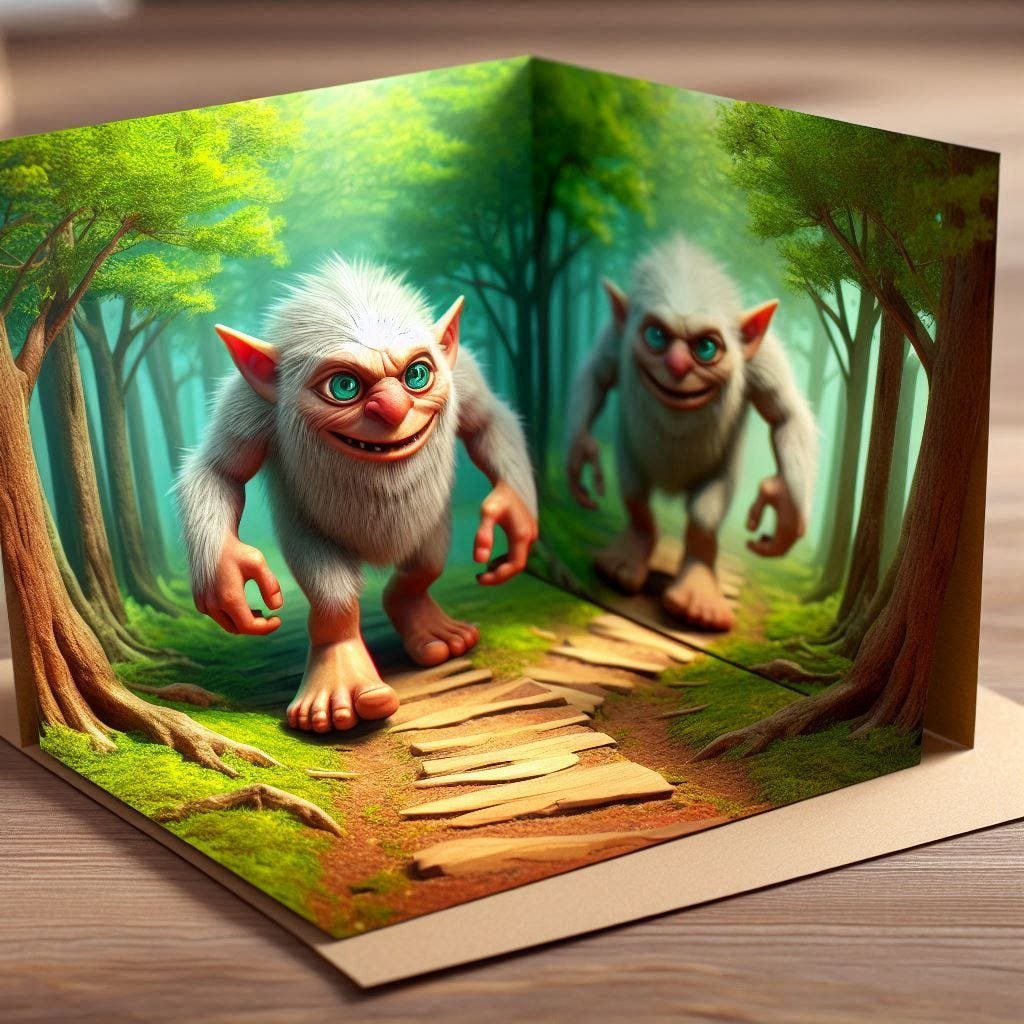
The first time you typed a vague command like "beautiful landscape" into an AI art generator, you probably felt that familiar sting of disappointment. Instead of the breathtaking vista you envisioned, you got something... fine. Generic. Maybe a little muddy. You’re not alone. The journey from a fleeting idea to a stunning AI-generated visual isn't about magic; it's about mastering the language of machines. It’s about Troubleshooting & Optimizing AI Art Prompts.
In the evolving landscape of digital creativity, AI art generators like Midjourney, DALL-E 3, and Stable Diffusion have become powerful allies. Yet, their true potential remains locked behind the quality of your instructions. Crafting effective prompts – a skill known as prompt engineering – isn't just a technical exercise; it's an art form in itself, crucial for sidestepping the generic and conjuring visuals that truly resonate. This guide will equip you with the frameworks, techniques, and troubleshooting savvy to elevate your AI art from merely adequate to absolutely extraordinary.
At a glance: Your Prompt Optimization Roadmap
- Specificity is king: Vague prompts yield vague results. Detail is your best friend.
- Understand prompt anatomy: Learn the core components that make up a powerful instruction.
- Adopt proven frameworks: Structure your thoughts with simple, effective methods like 4-Step or CRAFT.
- Iterate, don't just generate: Expect to refine your prompts multiple times; it’s part of the creative process.
- Leverage negative prompts: Tell the AI what you don't want for cleaner, more focused outputs.
- Master technical parameters: Aspect ratios, seeds, and style modifiers give you precise control.
- Study successful examples: Learn from the diverse range of prompts that produce incredible results.
- Troubleshoot common issues: From muddy styles to inconsistent characters, we've got solutions.
The Blueprint of Brilliance: Deconstructing the AI Art Prompt
Think of an AI art prompt not as a simple sentence, but as a meticulously constructed instruction manual for a digital artist with an infinite palette. Each element you provide guides the AI's understanding, shaping the final image. A powerful prompt usually contains several key components, layered together to paint a vivid picture for the machine.
Core Components of a High-Impact Prompt:
- Subject: This is the undisputed star of your show. Be precise.
- Example:
A wise old wizard,a sleek futuristic car,a majestic lion. - Medium: What artistic form should the AI emulate? This sets the fundamental texture and feel.
- Example:
oil painting,3D render,photograph,watercolor sketch,ink drawing. - Style/Aesthetic: This dictates the visual language, the artistic movement, or the genre.
- Example:
hyperrealistic,anime,impressionist,art deco,cyberpunk,baroque. - Composition/Setting: How is the subject framed? Where is it located? This defines the scene.
- Example:
close-up shot,wide-angle view,from above,dynamic angle,ancient library,urban cafe,moonlit forest. - Lighting/Mood/Atmosphere: Crucial for emotional resonance. How should the scene feel?
- Example:
cinematic lighting,soft morning light,dramatic backlighting,neon glow,eerie twilight atmosphere,peaceful morning light. - Technical Parameters: These are direct commands to the AI, controlling specific output aspects.
- Example:
--ar 16:9(aspect ratio),--style raw,--seed 123(for consistency),8K resolution,sharp focus.
By consciously layering these components, you move beyond mere suggestion and into precise direction.
Your Prompt Playbook: Proven Frameworks for Success
Feeling overwhelmed by all those components? Don't be. Seasoned prompt engineers often lean on structured frameworks to organize their thoughts, turning abstract ideas into actionable instructions.
The 4-Step Framework: Building Prompts Incrementally
This method is perfect for beginners and for when you want to gradually build complexity without getting lost.
- Step 1: Define Your Core Subject. Start with the absolute basics. What's the main thing?
- Prompt:
a cat
- Step 2: Add Medium and Style. How do you want it to look, artistically?
- Prompt:
a photograph of a cat in a cinematic style
- Step 3: Set the Scene with Composition and Lighting. Where is it, and what's the mood?
- Prompt:
a close-up photograph of a cat in a cinematic style, dramatic side lighting
- Step 4: Refine with Detail and Parameters. Layer on specific descriptors and technical commands. This is where you bring it to life.
- Prompt:
a close-up photograph of a fluffy Persian cat sleeping on a velvet cushion, cinematic style, dramatic side lighting, warm tones --ar 16:9
Notice how each step adds clarity and direction, taking you from a generic idea to a highly specific visual.
The CRAFT Framework: A Mnemonic for Mastery
For a more holistic approach, the CRAFT framework serves as a great checklist to ensure you've covered your bases.
- Clarity: Be specific and unambiguous. Avoid vague terms.
- Reference: Invoke art styles, famous artists, historical eras, or specific genres.
- Atmosphere: Define the mood, lighting, and emotional tone.
- Focus: Highlight what’s most important in the image; guide the AI’s attention.
- Technical: Specify quality parameters like resolution, aspect ratio, or specific AI commands.
By running your prompt through the CRAFT checklist, you can quickly identify gaps and opportunities for improvement.
Beyond the Basics: Types of Prompts that Deliver
Now that you understand the anatomy and frameworks, let’s explore how these principles translate into real-world prompt examples that consistently produce stunning results. The trick is to layer details, define specific elements, and evoke stories or aesthetics.
Sample Principles in Action:
- Photorealistic Portrait: To get a lifelike human, you need specific descriptors.
- Prompt:
elderly fisherman with a weathered face and a thick white beard, close-up portrait, cinematic lighting, 8K, hyperrealistic, detailed skin texture, sun-kissed --ar 2:3 - Principle: Stacking physical characteristics, composition, lighting, and quality parameters.
- Cinematic Sci-Fi Scene: Create a narrative through detailed environment and mood.
- Prompt:
abandoned starship interior, overgrown with bioluminescent alien flora, dramatic backlighting, wide-angle shot, cinematic, eerie twilight atmosphere --ar 16:9 - Principle: Building a story with location, conflicting details, mood lighting, and wide composition.
- Fantasy Landscape Painting: Combine fantastical elements with clear artistic references.
- Prompt:
digital painting of a floating island city, waterfalls cascading into clouds, in the style of Studio Ghibli and Thomas Kinkade, epic scale, vibrant colors, golden hour lighting --ar 3:2 - Principle: Using specific medium and style references alongside imaginative subjects.
- Abstract 3D Render: Focus on material properties and form.
- Prompt:
3D octane render of iridescent crystalline structures, glowing inner light, complex geometric patterns, ethereal, volumetric fog, studio lighting --ar 1:1 - Principle: Specifying medium and material characteristics to dictate the visual texture and light interaction.
- Anime Character Design: High specificity for character features and style.
- Prompt:
young female cyberpunk ninja with neon pink hair and glowing cybernetic eyes, dynamic pose, intricate armor, anime art style, cell shaded, high detail, vibrant colors --ar 2:3 - Principle: Detailing character features, action, and style with genre-specific terms.
- Architectural Visualization: Play with contrasts and light to create impact.
- Prompt:
modern minimalist house in a dense foggy forest, warm interior light spilling out onto the mist, wide shot, architectural photography, crisp detail, realistic textures --ar 16:9 - Principle: Contrasting elements (modern vs. nature, warm vs. cold) and using lighting as a key instruction.
- Watercolor Food Illustration: Emphasize the delicate nature of the medium.
- Prompt:
delicate watercolor illustration of a slice of lemon meringue pie, soft, whimsical, light pastel colors, clean white background, food art --ar 1:1 - Principle: Centering on the medium and reinforcing the feeling with mood words.
- Logo Design Concept: Use design terminology and specify AI output behavior.
- Prompt:
minimalist vector logo, geometric shapes, a stylized fox head, flat icon, vibrant orange and deep blue, clean lines, professional design --ar 1:1 --style raw - Principle: Leveraging design terms and using
--style rawto reduce AI artistic embellishments, aiming for a cleaner graphic. (Note: AI is still challenging for text in logos). For further inspiration on crafting unique visuals, consider exploring an Art prompt generator which can spark new ideas and combinations. - Vintage Horror Movie Poster: Invoke an era and genre through specific stylistic details.
- Prompt:
1950s horror movie poster, creature from the black lagoon inspired monster, distressed paper texture, muted color scheme, bold retro typography (AI will struggle with readable text), B-movie aesthetic --ar 2:3 - Principle: Calling out a specific era/genre and its common visual tropes.
- Macro Nature Photograph: Use precise photographic terms.
- Prompt:
extreme macro photograph of a dewdrop on a spiderweb at dawn, shallow depth of field, bokeh background, intricate detail, natural light, National Geographic quality --ar 4:3 - Principle: Employing photography-specific terms and quality benchmarks for a highly detailed close-up.
Expanding Your Creative Palette with Prompt Formulas
Beyond specific examples, certain formulas can be adapted for various creative needs:
- Character-Based Prompts:
[Character Description] in [Action] at [Location], [Art Style], [Lighting], [Mood]- Example:
A stoic knight in gleaming armor battling a dragon, epic fantasy painting, dramatic twilight, sense of danger. - Environment & Landscape Prompts:
[Landscape/Environment Description], [Weather/Time of Day], [Art Style], [Composition], [Atmosphere]- Example:
An ancient redwood forest shrouded in mist, sunbeams piercing through the canopy, digital matte painting, wide-angle, serene and mystical. - Concept & Abstract Prompts:
Visualization of [Abstract Concept] using [Visual Metaphor], [Medium], [Colors], [Style]- Example:
Visualization of anxiety as tangled, glowing wires within a human silhouette, 3D abstract render, neon blues and purples, glitch art. - Style-Focused Prompts:
[Subject] in the style of [Artist/Movement/Era], [Medium], [Specific Characteristics]- Example:
A bustling city street in the style of Van Gogh, oil painting, swirling brushstrokes, vibrant night colors. - Storytelling Prompts:
[Crucial Moment Description], [Character Emotion], [Setting], [Art Style], [Implied Narrative]- Example:
A young astronaut gazing at a shattered Earth from a spaceship window, profound sadness, realistic space art, reflective mood. - Industry-Specific Prompts: These are tailored for specific professional uses.
- Marketing:
[Product Name] showcase, [Unique Selling Proposition], [Target Audience Vibe], [Photographic Style], [Lighting] - Example:
A sleek minimalist smartphone resting on a marble slab, reflecting soft studio lighting, luxurious and modern, product photography. - Publishing (Book Covers):
Book cover art for "[Book Title]", [Genre], [Key Scene/Character], [Art Style], [Mood] - Example:
Book cover art for "Whispers of the Forgotten Isle," fantasy adventure, lone explorer standing before a glowing ancient ruin, epic digital painting, mysterious and adventurous. - Gaming (Character Concepts):
[Character Role] concept art, [Key Features], [Game Genre Style], [Pose/Action] - Example:
Sci-fi rogue character concept art, cloaked figure with cybernetic enhancements, stealthy pose, detailed character sheet, futuristic RPG style.
Troubleshooting Common AI Art Prompt Problems
Even with frameworks and examples, you'll encounter hiccups. This section focuses on common issues and actionable solutions to get your AI art back on track.
"My image is too generic/bland."
Problem: Your AI output lacks character, depth, or originality. It feels like "stock art."
Solution:
- Add specificity: Layer on more adjectives, descriptive nouns, and unique details for every element in your prompt. Instead of "a forest," try "an ancient, moonlit redwood forest with bioluminescent fungi."
- Specify artistic influence: Name artists, art movements, or specific photography styles (e.g., "in the style of Hayao Miyazaki," "film noir photography," "Dutch Golden Age painting").
- Introduce conflict or narrative: Give the scene a purpose or a story. "A robot standing" is generic; "A lonely robot contemplating a ruined cityscape at dawn" adds narrative depth.
"The styles are muddy or mixed poorly."
Problem: You tried to combine "cyberpunk" and "impressionist," and got a confusing mess.
Solution:
- Be explicit about element-specific styles: If you want distinct styles for different elements, specify. "A cyberpunk city in the foreground, impressionist sky in the background."
- Stick to complementary styles: Some styles simply don't mix well. Start with styles that share visual traits or historical context before attempting more radical fusions.
- Use weight parameters (if available): Some generators allow you to assign weights to different parts of your prompt (e.g.,
cyberpunk::2 impressionist::1). This lets you prioritize one style over another.
"My image lacks detail or looks blurry/low quality."
Problem: The output isn't crisp, detailed, or visually rich.
Solution:
- Add quality descriptors: Include terms like
highly detailed,intricate,8K resolution,sharp focus,photorealistic,ultra high definition. - Specify textures: Describe materials and surfaces (e.g.,
weathered stone,glowing glass,textured fabric). - Use appropriate aspect ratios: A very wide aspect ratio might spread detail thin if not compensated with more descriptive text.
- Midjourney specific: Explore
--qualityor--stylizeparameters for different detail levels.
"The composition is off or cluttered."
Problem: The subject isn't framed well, or there are too many distracting elements.
Solution:
- Use composition terms:
close-up,wide shot,full body shot,cinematic shot,rule of thirds,centered,dynamic diagonal,leading lines. - Specify focus: Explicitly state
focus on [main element]. - Control background:
minimalist background,blurred background,clean background,shallow depth of field. - Use negative prompts for unwanted elements:
--no crowd,--no extraneous objects.
"I want consistent characters/elements across multiple images."
Problem: Your character changes appearance in every new generation.
Solution:
- Use a
seednumber: When you generate an image you like, the AI typically provides a--seed <number>. Re-using this seed in subsequent prompts with slight modifications can help maintain consistency. - Detailed physical descriptors: Provide exhaustive detail about your character's appearance: hair color and style, eye color, specific clothing, unique features, build, etc. The more consistent detail, the better.
- Reference images (multimodal prompting): Some advanced generators and tools allow you to upload a reference image alongside your text prompt, guiding the AI to match visual traits. This is a powerful, emerging technique.
"The AI keeps adding text, and it's always gibberish."
Problem: You wanted a sign or a book title, but the AI text is unreadable.
Solution:
- Don't ask for readable text: AI art generators are notoriously bad at generating coherent, readable text.
- Plan for post-processing: Generate the image and then use a separate image editor (like Photoshop or Canva) to overlay your desired text. This is currently the most reliable method.
- Use negative prompts:
--no text,--no words,--no typography.
"My image has weird artifacts or strange deformations (e.g., extra limbs, distorted faces)."
Problem: Common issue, especially with hands and complex human anatomy.
Solution:
- Use negative prompts:
--no deformed hands,--no extra limbs,--no mutation,--no bad anatomy. - Simplify the pose: Complex or unusual poses are harder for the AI to render correctly.
- Increase detail/quality: Sometimes adding
highly detailed,realistic, or using higher resolution settings can improve anatomical accuracy. - Iterate and re-roll: If one generation is flawed, simply try again. The AI's randomness can sometimes produce better results.
Best Practices for Prompt Engineering
Beyond troubleshooting, adopting these practices will proactively improve your AI art journey:
Do's:
- Be highly specific and descriptive: The more you describe, the less the AI has to guess.
- Use photographic and artistic terms: Leverage the vocabulary of art (e.g.,
macro,cinematic lighting,impressionistic,chiaroscuro,anamorphic lens). - Layer multiple concepts: Combine ideas for truly unique results (e.g., "a steampunk owl wearing a monocle in a Victorian library").
- Specify desired aspect ratio:
--ar 16:9for landscape,--ar 2:3for portrait,--ar 1:1for square. This prevents unwanted cropping or stretching. - Iterate and refine: Your first prompt is rarely your best. Experiment, learn, and tweak.
- Add more physical descriptors: For characters, be exhaustive about hair, eyes, clothes, build, and accessories for consistency.
- Prioritize elements: If multiple concepts are present, emphasize what's most important through placement or weighting (if your generator supports it).
Don'ts:
- Be vague or use single-word prompts: This is the fast lane to generic images.
- Use negative phrasing directly: Instead of "a person with no hat," use a negative prompt:
--no hat. AI struggles with "not." - Expect the AI to read your mind: It only knows what you tell it.
- Ask for readable text or complex logos with words: At least for now, this is a recipe for frustration.
- Give up after one or two tries: Persistence and experimentation are key to unlocking the AI's full potential.
Key Concepts and AI Art Generators in Focus
To truly master prompt engineering, it helps to understand some fundamental concepts and how different AI generators interpret your instructions.
- Negative Prompting: This is a crucial parameter that tells the AI what not to include in the image. It's far more effective than trying to tell the AI what not to do within your main prompt.
- Example:
A beautiful forest scene --no humans, --no cars, --no text. - Benefit: Helps eliminate unwanted elements, clean up images, and remove common artifacts (like extra fingers).
- The
seedParameter: A seed number (--seed <number>) is like a unique blueprint for an image generation. If you use the same seed with the same prompt, you'll get a nearly identical result. This is invaluable for: - Consistency: Generating variations of a character or scene while maintaining core elements.
- Experimentation: Making small changes to a prompt while keeping the "starting point" the same to see the impact of each change.
- Artist Names & Ethical Considerations: Citing specific artists (e.g., "in the style of Van Gogh," "photography by Ansel Adams") is incredibly powerful for guiding the AI's artistic output. However, it's a rapidly evolving area with ethical debates about originality, attribution, and copyright. Be mindful of these discussions as you leverage this powerful technique.
A Quick Look at Popular AI Art Generators:
- Midjourney: Renowned for its artistic, often dreamlike, and highly stylized output. It's excellent for evocative and imaginative visuals, tending towards aesthetic beauty.
- DALL-E 3 (integrated with ChatGPT Plus): Excels at understanding natural language and complex, multi-clause instructions. It's particularly good at interpreting intricate scenarios and accurately placing elements. It tends to be more literal in its interpretation than Midjourney.
- Stable Diffusion: Open-source and highly customizable. With various models, extensions, and local installations, it offers unparalleled control and flexibility for those willing to delve into its technical depths. Its versatility makes it a favorite for researchers and power users.
The Horizon of AI Illustration Prompts: What's Next?
The field of AI art generation is exploding, and prompt engineering is evolving just as rapidly. Staying aware of emerging trends can keep your creative edge sharp.
- Multimodal Prompting: We're moving beyond just text. Combining text with reference images, audio descriptions, or even rough sketches will give AI a richer understanding of your vision. Imagine humming a tune to influence the mood of an image!
- Adaptive Learning: Future AIs might learn your personal style preferences over time, automatically adjusting their output to align with your aesthetic without explicit instructions in every prompt.
- Collaborative Prompting: Tools are emerging that allow multiple creators to refine and build upon prompts together, fostering a new kind of digital artistic collaboration.
- Prompt Libraries & Marketplaces: Sharing, discovering, and even monetizing successful prompt formulas will become more common, creating a rich ecosystem of pre-engineered visual ideas.
- Semantic Understanding: AI's ability to truly grasp the intent and nuanced meaning behind human language will continue to improve, making prompts even more intuitive and less reliant on specific keywords.
Mastering prompt engineering isn't just about technical commands; it's about refining your creative vision and learning to communicate it effectively to a powerful digital partner. It's a blend of analytical thinking and artistic intuition, opening up endless possibilities for visual expression. The true art, perhaps, lies not just in the images you create, but in developing a unique creative voice through this incredible collaboration with AI.